Audio Not Playing on Your Website? 9 Common Causes and Fixes
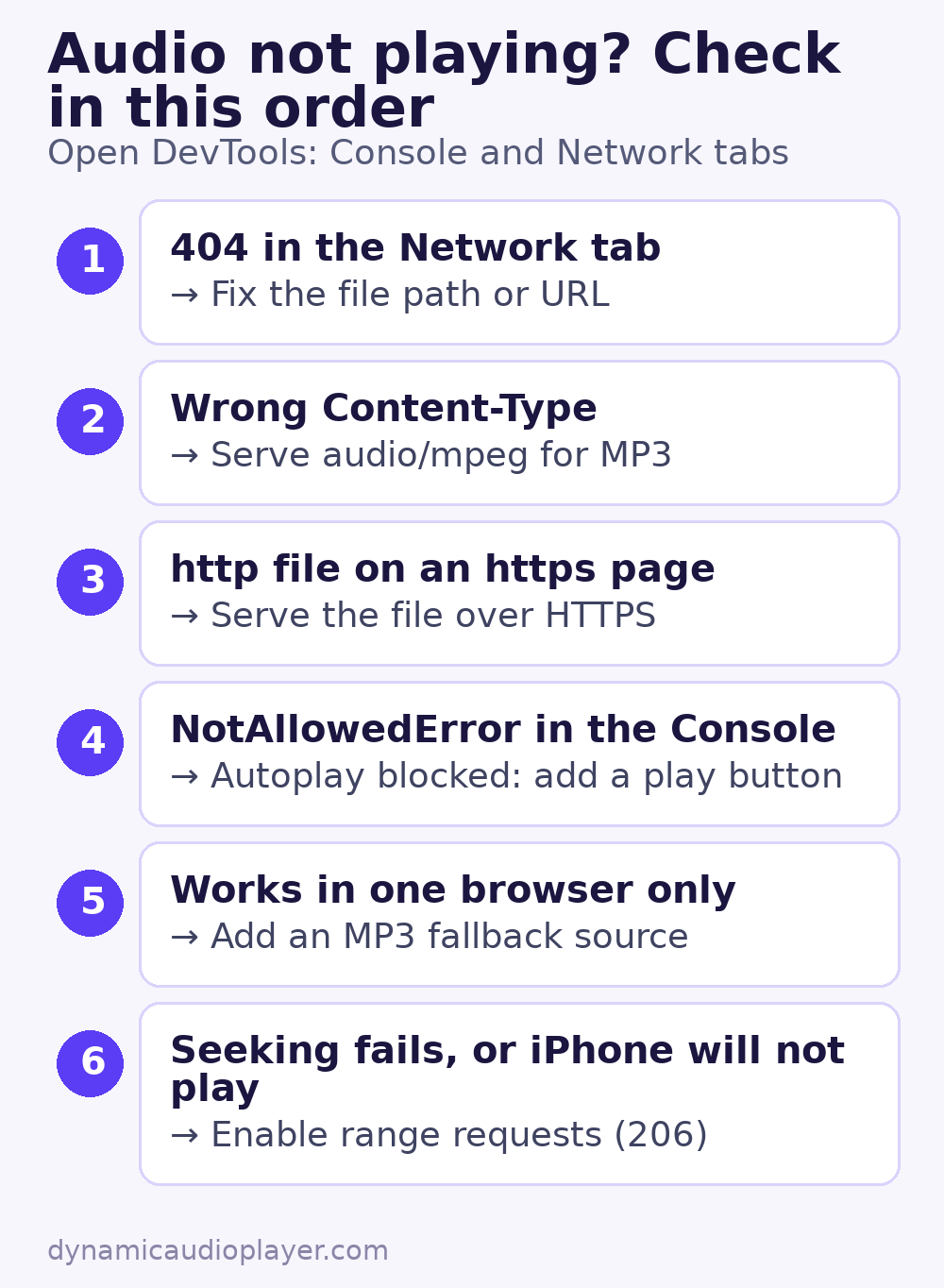
Audio not playing on website pages usually comes down to a handful of causes. The player appears, you press play, and nothing happens. Or it works on your laptop but not on an iPhone. Work through these causes in order; the first few explain most problems.
Table of Contents
Start with the browser console
Open the page, press F12 (or Cmd+Option+I on a Mac), and look at the Console and Network tabs while you press play. The error message usually points straight to one of the causes below.
1. The file path is wrong
A 404 in the Network tab means the browser cannot find the file. Check for typos, upper- and lower-case differences (many servers treat Song.mp3 and song.mp3 as different files), and relative paths that break on other pages. Using a full URL is the safest choice.
2. The server sends the wrong MIME type
Browsers check the Content-Type header. Common correct values:
| File | Content-Type |
|---|---|
| .mp3 | audio/mpeg |
| .m4a / .aac | audio/mp4 or audio/aac |
| .ogg / .opus | audio/ogg |
| .wav | audio/wav |
| .webm | audio/webm |
If the file is served as text/plain or application/octet-stream, add the correct type in your server or CDN settings.
3. Mixed content
An http:// audio file on an https:// page may be upgraded or blocked. Serve the file over HTTPS and update the URL.
4. Autoplay was blocked
If the audio should start without a click, the browser has probably stopped it. This is expected behaviour. Show a play button instead. See why audio autoplay is blocked.
5. The format is not supported
Not every browser plays every codec. Ogg Vorbis, for example, does not play in older Safari versions. Offer MP3 as a fallback with multiple <source> elements. See which audio format to use.
6. The server does not support range requests
Browsers fetch audio in pieces, using the Range header, so visitors can skip ahead. If the server ignores those requests, seeking breaks, and Safari may refuse to play at all. In the Network tab, a working setup shows a 206 Partial Content response. Static files on most servers and CDNs support this. Audio sent through a PHP script or a download plugin often does not.
7. CORS blocks the file
Plain playback with the audio element works across domains. But if you analyse or process the audio with the Web Audio API, or load the file with fetch(), the file’s server must send an Access-Control-Allow-Origin header, and the audio element needs crossorigin="anonymous".
8. Caching or optimisation plugins changed the page
Script-combining, lazy-loading and “delay JavaScript” features in caching plugins can break custom players. Temporarily turn those features off, clear the cache, and test again. If that fixes it, exclude the player’s script from optimisation.
9. The problem is on the device
Before changing code, check the simple things: the device’s volume and mute switch, Bluetooth headphones connected to a different device, a browser extension blocking media, or a very slow connection that has not finished loading a large file. Smaller files help here. See how to optimize audio files.
Still stuck with audio not playing on website pages?
Create a test page that contains only a native player and the file URL:
<audio controls src="https://example.com/audio/test.mp3"></audio>If this works, the problem is in your theme, plugin or script. If it does not, the problem is the file or the server. For player basics, see the HTML5 audio element guide.
Common questions
Why is audio not playing on website pages on iPhone only?
Safari on iOS is stricter than desktop browsers. It expects range requests to work, never autoplays sound, and older versions do not play every format. Check causes 4, 5 and 6 above.
Why does audio stop when I switch tabs on my phone?
Mobile browsers may pause media in background tabs to save battery. This is a browser decision and usually cannot be changed by the website.