
Where to Host Audio Files for Your Website
Where you host audio files for website use affects page speed, hosting costs and how much control you have over the player. There is no single right answer, but there are four common setups, and one of them will fit your site.
Table of Contents
1. Your own web server
Upload the files next to your pages, for example through the WordPress media library, and point an audio element at them.
- Good for: a few short clips, small sites, quick tests.
- Watch out for: bandwidth limits on cheap hosting plans, upload size limits (WordPress shows the maximum on the “Add New Media” screen), and backups that grow quickly.
Make sure your server supports HTTP range requests. Browsers request audio in pieces so visitors can skip ahead, and Safari in particular expects the server to answer those requests correctly. Most web servers do this out of the box for static files.
2. Object storage with a CDN
Services such as Amazon S3, Cloudflare R2, Backblaze B2 or Bunny Storage store large files cheaply, and a content delivery network (CDN) serves them from locations close to your visitors.
- Good for: large libraries, music sites, anything with steady traffic.
- Watch out for: storage and bandwidth pricing (compare carefully, as some providers charge for traffic and others do not), and CORS settings if you use the Web Audio API or load files from scripts.
Serve files from a subdomain such as media.example.com, set long cache lifetimes, and give each new version of a file a new name so that caches never serve stale audio.
3. A podcast hosting service
Podcast hosts store your episodes, generate the RSS feed that podcast apps read, and give you download statistics and an embeddable player.
- Good for: anyone publishing a podcast.
- Watch out for: monthly upload limits on cheaper plans, and the work of moving your feed if you change hosts later.
See how to add a podcast player to your website.
4. Streaming platforms
Platforms such as SoundCloud, Bandcamp or Spotify host the audio and give you an embed code. You pay nothing for bandwidth and gain exposure on the platform.
- Good for: musicians who want to be discovered on those platforms.
- Watch out for: limited control over the player’s design, extra third-party scripts and cookies, and the platform’s terms deciding what you can upload.
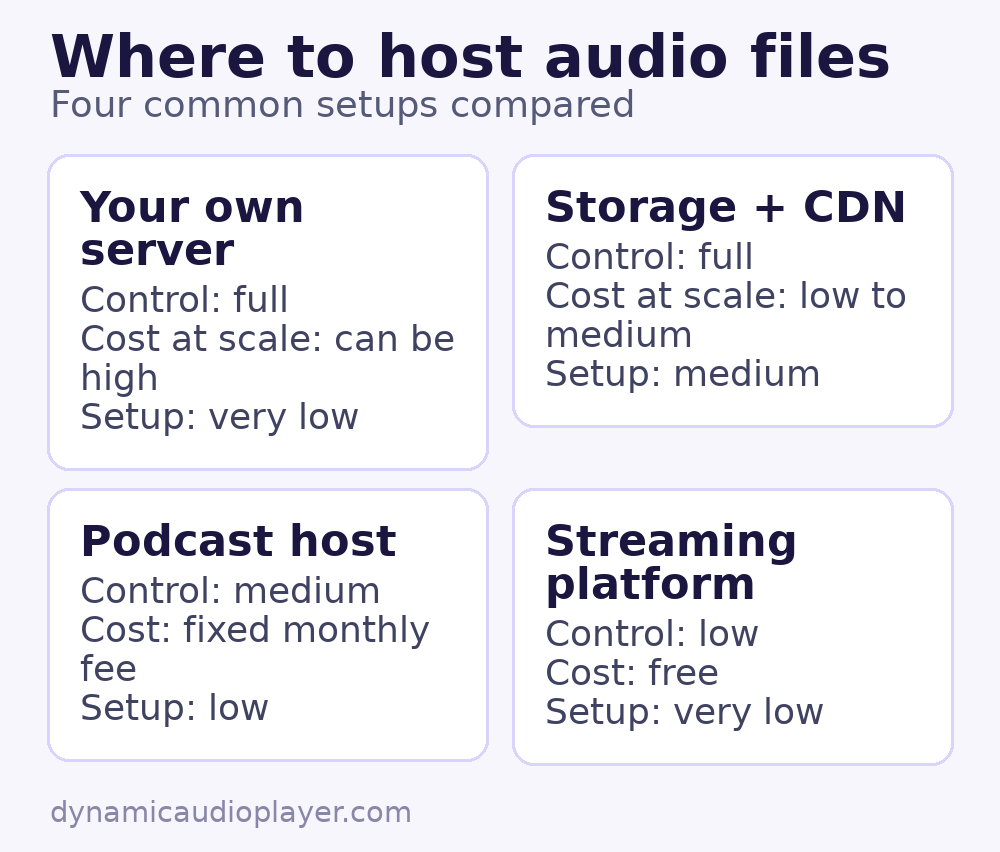
Quick comparison
| Option | Control | Cost at scale | Setup effort |
|---|---|---|---|
| Own server | Full | Can be high | Very low |
| Storage + CDN | Full | Low to medium | Medium |
| Podcast host | Medium | Fixed monthly fee | Low |
| Streaming platform | Low | Free | Very low |
Tips to host audio files for website visitors
- Compress files before uploading. See how to optimize audio files.
- Pick widely supported formats. See MP3, AAC, Ogg or Opus.
- Serve everything over HTTPS. Browsers block or upgrade insecure audio on secure pages.
- Keep the original high-quality masters somewhere safe, separate from the files you publish.
Common questions
Can I host audio files for website use on Google Drive or Dropbox?
Not reliably. These services are built for sharing files, not for streaming them. Links can change, traffic can be limited, and seeking may not work.
How much storage do audio files need?
Roughly 1 MB per minute at 128 kbps. A weekly 30-minute podcast at 96 kbps mono adds about 22 MB per episode, or around 1.1 GB per year.